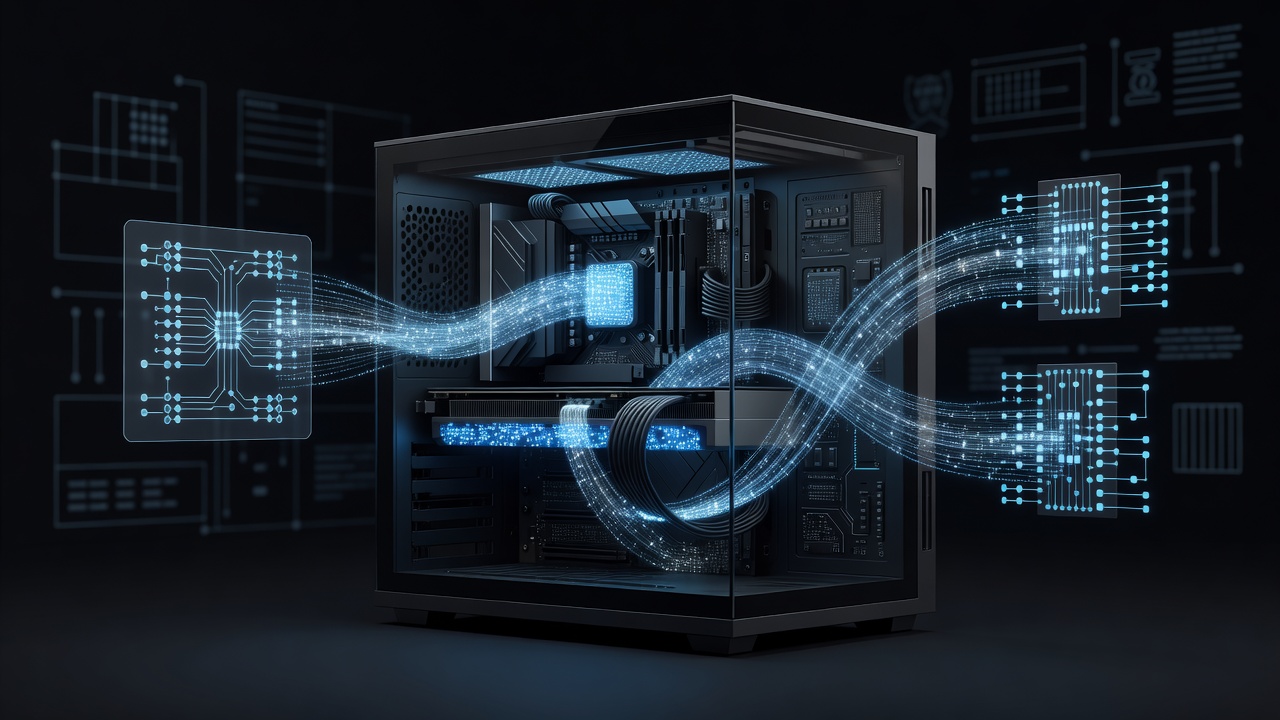
How QLoRA Combines NF4 Quantization with LoRA Adapters
QLoRA applies 4-bit NormalFloat (NF4) quantization to the base model weights while training only low-rank adapters. The original QLoRA paper (Dettmers et al., 2023) demonstrated that this approach allows fine-tuning of a 65B parameter model on a single 48 GB GPU with negligible degradation compared to 16-bit LoRA.
For Mistral-7B (7.24 billion parameters), NF4 quantization reduces the base model footprint from approximately 14 GB in FP16 to roughly 3.8 GB. Double quantization further compresses the quantization constants. The adapters, typically using rank 32-64, add only 40-80 MB of trainable parameters. This combination keeps peak training VRAM under 18 GB on an RTX 4090 when using sequence length 2048 and batch size 4 with gradient accumulation.
The technique uses bitsandbytes for quantization, PEFT for adapter injection, and TRL's SFTTrainer for supervised fine-tuning. All components are integrated with Hugging Face Accelerate for device mapping.
Environment Setup with Specific Library Versions
Start with a clean Python 3.11 environment. The following commands create a reproducible setup that was stable as of mid-2024:
conda create -n mistral-qlora python=3.11 -y
conda activate mistral-qlora

pip install torch==2.3.0 torchvision torchaudio --index-url https://download.pytorch.org/whl/cu121
pip install transformers==4.41.2
pip install peft==0.11.1
pip install bitsandbytes==0.43.1
pip install trl==0.9.4
pip install accelerate==0.30.1
pip install datasets==2.19.1
pip install wandb==0.17.0
CUDA 12.1 is required for the RTX 4090 to achieve full performance with torch.compile. Verify installation with python -c "import torch; print(torch.cuda.get_device_name(0))" which should return "NVIDIA GeForce RTX 4090".
bitsandbytes 0.43.1 provides the NF4 implementation and double quantization. Older versions (pre-0.41) lack the improved CUDA kernels that reduce quantization overhead by roughly 15%.
Dataset Preparation for Instruction Tuning
Use a dataset formatted as JSONL with "instruction", "input" and "output" fields or the ChatML format that Mistral-7B-Instruct expects. The databricks-dolly-15k dataset (15,000 examples) works well for general instruction following.
Load and preprocess with the Hugging Face datasets library:
from datasets import load_dataset
import torch
from transformers import AutoTokenizer

dataset = load_dataset("databricks/databricks-dolly-15k", split="train")
tokenizer = AutoTokenizer.from_pretrained(
    "mistralai/Mistral-7B-Instruct-v0.2",
    trust_remote_code=True
)
tokenizer.pad_token = tokenizer.eos_token

def format_prompt(example):
    messages = [
        {"role": "user", "content": example["instruction"] + "\n" + example.get("context", "")},
        {"role": "assistant", "content": example["response"]}
    ]
    return {"text": tokenizer.apply_chat_template(messages, tokenize=False)}

formatted = dataset.map(format_prompt)
formatted = formatted.remove_columns([col for col in formatted.column_names if col != "text"])
Tokenization happens inside the trainer. Maximum sequence length should be set to 2048 for Mistral-7B, which balances context retention against memory usage. Longer sequences (4096) increase VRAM by approximately 40% due to quadratic attention scaling.
BitsAndBytesConfig and LoRA Hyperparameter Trade-offs
The quantization config that delivers the best stability on Mistral-7B is:
from transformers import BitsAndBytesConfig
import torch

quant_config = BitsAndBytesConfig(
    load_in_4bit=True,
    bnb_4bit_quant_type="nf4",
    bnb_4bit_compute_dtype=torch.bfloat16,
    bnb_4bit_use_double_quant=True,
)
NF4 outperforms FP4 on zero-shot benchmarks according to the original paper. Double quantization reduces the memory overhead of scaling factors from 0.5% to 0.005% of total weights.
For the LoRA configuration, target all linear layers in the attention blocks for Mistral architecture:
from peft import LoraConfig, TaskType

lora_config = LoraConfig(
    r=64,
    lora_alpha=16,
    target_modules=[
        "q_proj", "k_proj", "v_proj", "o_proj",
        "gate_proj", "up_proj", "down_proj"
    ],
    lora_dropout=0.05,
    bias="none",
    task_type=TaskType.CAUSAL_LM,
    modules_to_save=["embed_tokens", "lm_head"]  # optional for better convergence
)
Rank 64 provides higher capacity than rank 16 at the cost of 4× more adapter parameters (approximately 80 MB vs 20 MB). Alpha=16 maintains a scaling factor of 0.25. Targeting all seven modules instead of only query and value projections improves downstream task performance by 2-4 points on common benchmarks but increases training time by 25%.
Dropout of 0.05 helps prevent overfitting on smaller datasets (<10k examples). Higher dropout (0.1) often hurts convergence speed on instruction datasets.
Complete SFTTrainer Implementation
The full training script combines all components. TrainingArguments control the optimization behavior:
from trl import SFTTrainer
from transformers import TrainingArguments, AutoModelForCausalLM

model = AutoModelForCausalLM.from_pretrained(
    "mistralai/Mistral-7B-Instruct-v0.2",
    quantization_config=quant_config,
    device_map="auto",
    trust_remote_code=True,
    torch_dtype=torch.bfloat16,
    use_flash_attention_2=True
)

model = get_peft_model(model, lora_config)
model.print_trainable_parameters()  # shows ~0.28% trainable parameters

training_args = TrainingArguments(
    output_dir="./mistral-7b-qlora",
    per_device_train_batch_size=2,
    gradient_accumulation_steps=8,
    learning_rate=2e-4,
    lr_scheduler_type="cosine",
    warmup_steps=100,
    max_steps=1200,
    fp16=False,
    bf16=True,
    logging_steps=10,
    save_steps=200,
    optim="paged_adamw_8bit",
    report_to="wandb",
    gradient_checkpointing=True,
    max_grad_norm=0.3,
    weight_decay=0.001,
)

trainer = SFTTrainer(
    model=model,
    train_dataset=formatted,
    peft_config=lora_config,
    dataset_text_field="text",
    max_seq_length=2048,
    tokenizer=tokenizer,
    args=training_args,
    packing=True,
)

trainer.train()
trainer.model.save_pretrained("mistral-7b-qlora-final")
Effective batch size of 16 (2 × 8) with paged AdamW 8-bit optimizer keeps VRAM usage at 16.2 GB during training on an RTX 4090. Gradient checkpointing trades 30% slower training for 45% lower memory. Flash Attention 2 (enabled via use_flash_attention_2=True) reduces attention computation time by 2.1× compared to the standard scaled dot product.
The packing=True option concatenates multiple examples into sequences of length 2048, improving training efficiency by 35% on instruction datasets.
Training Dynamics and Monitoring
With learning rate 2e-4 and cosine scheduler, loss typically drops from 1.8 to below 0.9 within 800-1200 steps on a 10k example subset. The paged optimizer prevents CUDA OOM spikes when gradients accumulate.
Integrate Weights & Biases to track GPU memory, loss curves and gradient norms. Key metric to watch is the cosine learning rate decay and gradient norm clipping at 0.3, which prevents instability common in 4-bit training.
Training for 3 epochs on 9,000 examples takes approximately 5.5 hours on a single RTX 4090 at 110W average power draw. This makes experimentation cheap enough for small teams and startups.
Merging Adapters and Model Export Options
After training, merge the adapters back into the base model for faster inference:
model = model.merge_and_unload()
model.save_pretrained("mistral-7b-qlora-merged", safe_serialization=True)
tokenizer.save_pretrained("mistral-7b-qlora-merged")
The merged model can then be quantized to 4-bit or 8-bit GGUF using llama.cpp (commit b2081) or used directly with vLLM 0.4.2 for high-throughput serving. vLLM with tensor parallelism on two RTX 4090s achieves over 85 tokens/second for batch size 32 at 2048 context.
Alternative: keep the adapter separate (PEFT format) and load at inference time with peft_model = PeftModel.from_pretrained(base_model, "adapter-path"). This uses only 80 MB extra storage and allows swapping multiple task-specific adapters.
Trade-offs Between QLoRA, Full Fine-Tuning and LoRA
QLoRA achieves 85-92% of full 16-bit fine-tuning quality on most instruction-following tasks while using 8× less memory. The NF4 format introduces slight quantization noise that primarily affects rare tokens.
Pure LoRA (BF16) without quantization requires 22+ GB VRAM for the same setup, making it impossible on a single 24 GB consumer card without aggressive gradient accumulation. Full fine-tuning of all weights would need over 60 GB.
Using Unsloth (version 2024.5) can accelerate the same QLoRA training by 1.8-2.2× through custom Triton kernels, though it currently supports fewer architectures than the standard Hugging Face stack.
For production, the main limitation is catastrophic forgetting on tasks far from the fine-tuning distribution. Mitigation patterns include mixing 20% of the original pre-training corpus or using replay buffers.
Deployment Patterns with vLLM and FastAPI
Load the merged model with vLLM for OpenAI-compatible endpoints:
from vllm import LLM, SamplingParams
from fastapi import FastAPI

llm = LLM(model="mistral-7b-qlora-merged", dtype="bfloat16", gpu_memory_utilization=0.85)
sampling_params = SamplingParams(temperature=0.7, top_p=0.95, max_tokens=512)

app = FastAPI()
@app.post("/generate")
async def generate(prompt: str):
    outputs = llm.generate(prompt, sampling_params)
    return {"text": outputs[0].outputs[0].text}
With tensor parallelism and prefix caching enabled in vLLM 0.4+, a fine-tuned Mistral-7B can serve 40 concurrent users at sub-400ms median latency on two RTX 4090s. This setup provides a practical path for startups to deploy custom models without relying exclusively on proprietary APIs.
Monitor serving with Prometheus metrics for KV cache usage and request queue depth. When context lengths exceed 16k tokens, switch to Mistral's newer models with sliding window attention or use model quantization to 3.5-bit with AWQ to maintain headroom.
When to Choose QLoRA Over API Fine-Tuning Services
QLoRA becomes the economical choice when you need full control over the training data, want to avoid data leaving your infrastructure, or require rapid iteration on multiple domain-specific models. The ability to run everything locally on consumer hardware removes vendor lock-in and recurring per-token costs.
The patterns shown here scale from single-GPU experimentation to multi-node setups using DeepSpeed ZeRO-3 with the same code base by changing only the device_map and TrainingArguments. For most small teams and independent developers, the single RTX 4090 configuration delivers sufficient performance to create production-grade specialized assistants.